
Listeyi rastgele gruplara bölme
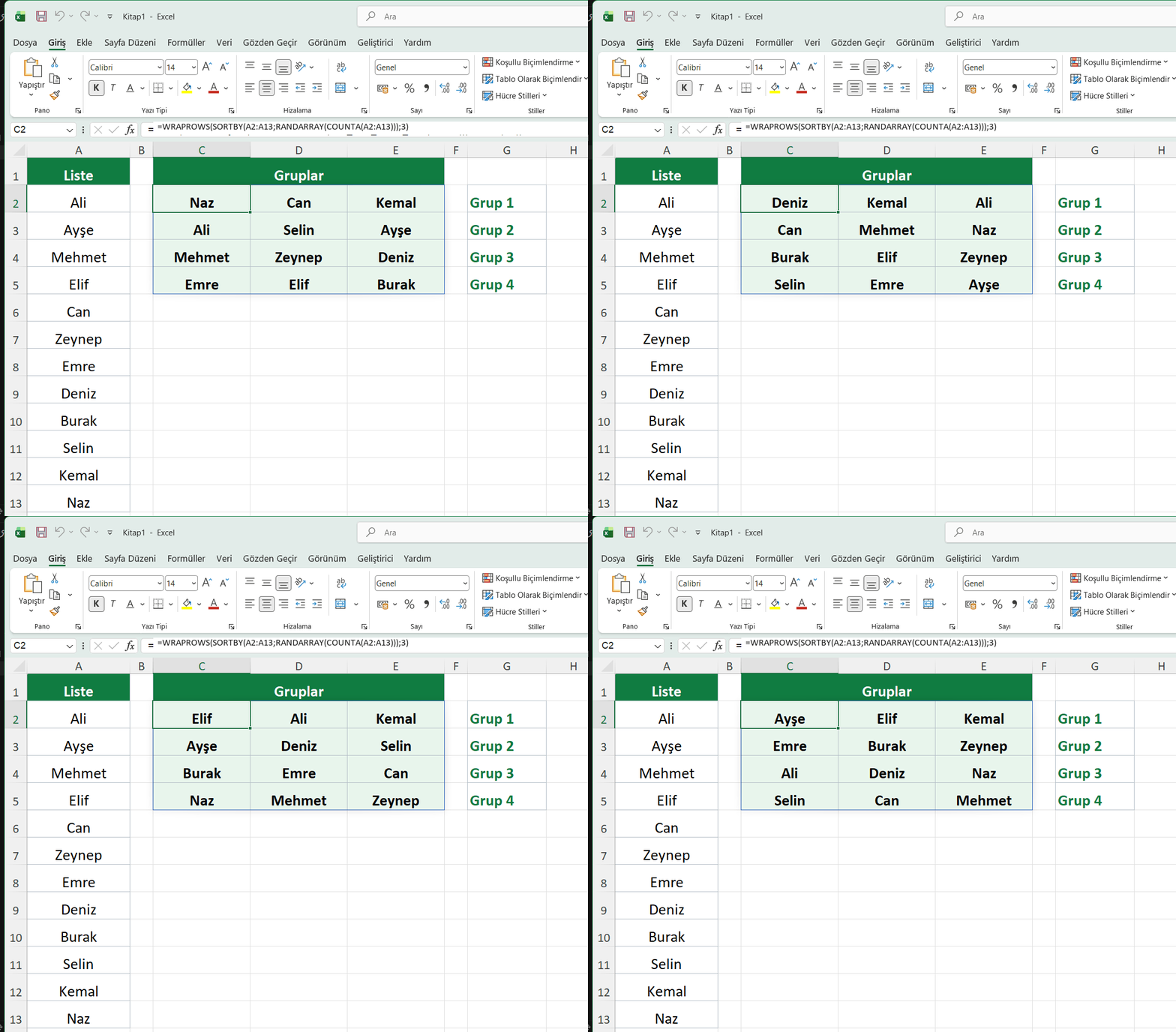
On iki ismi üçer kişilik dört gruba ayırır. F9’a her basışta gruplar yeniden karışır. Kimse listeden düşmez ve aynı isim iki grupta birden yer almaz.
Formül
A2:A13 isim listesidir. COUNTA dolu hücreleri sayar. RANDARRAY o kadar rastgele sayı üretir. SORTBY listeyi bu sayılara göre karıştırır. WRAPROWS karışmış listeyi 3 sütunluk satırlara böler. Her satır bir gruptur.
Sondaki 3, gruptaki kişi sayısıdır. Dörderli grup için 3 yerine 4 yazın. Kişi sayısı bu sayıya bölünmüyorsa son satır kısa kalır. Formül Microsoft 365 içindir. Türkçe Excel’de argümanlar noktalı virgülle ayrılır.
Örnek
İsimleri A sütununa yazın, formülü C2 hücresine yapıştırın. Gruplar sağa doğru dökülür. F9 hesaplamayı yeniler.
Split a list into random groups
It splits twelve names into four groups of three. Every press of F9 reshuffles the groups. Nobody drops off the list, and the same name never lands in two groups.
Formula
A2:A13 is the list of names. COUNTA counts the filled cells. RANDARRAY makes that many random numbers. SORTBY shuffles the list by those numbers. WRAPROWS breaks the shuffled list into rows of 3. Each row is one group.
The 3 at the end is the number of people in a group. Use 4 for groups of four. If the list does not divide evenly, the last row is shorter. The formula needs Microsoft 365. In English Excel the arguments are separated by commas.
Example
Type the names in column A and paste the formula into C2. The groups spill to the right. F9 recalculates the sheet.